six doors, one conversation
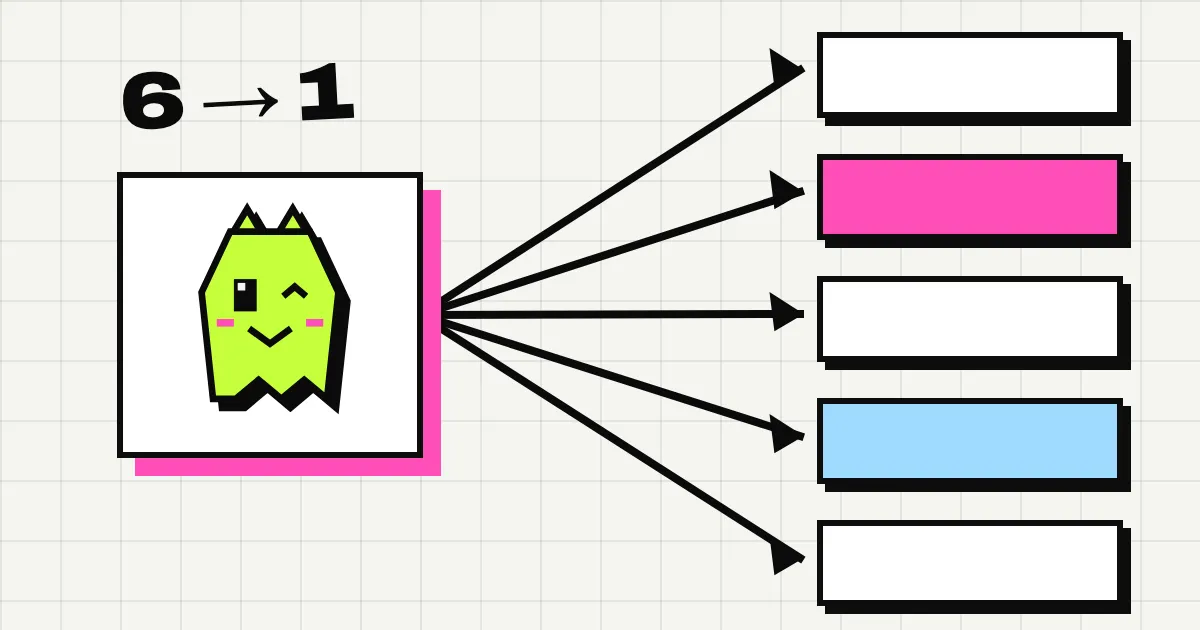
A visitor on your site sees one thing: a small chat with your team in it. Behind it, your team can be in six different places. Someone answers from a Slack thread, someone else from the dashboard on their phone, and an agent in a code editor picks up the question about the API. The visitor sees one conversation, in order, with names, and nothing twice.
This post is how that works: what each door is, what happens when a message comes through it, and the rules that keep six doors from turning into six versions of the truth.
the six doors
- The widget. Where the visitor writes, and where they read every answer.
- Slack. Every conversation is a thread in the channel you picked. Your team replies in the thread. The Slack guide has the setup.
- Discord. Coming soon, so five doors today. It’ll work the same, as a forum post or a thread in a text channel.
- The dashboard inbox. Every conversation, with tabs for open, mine and closed, search, notes, and a box to answer in.
- The API. A key and a few REST calls: list conversations, read one, reply, assign, close.
- MCP. The same tools for agents, so Claude Code or any MCP client can read and answer. The Claude Code guide shows it end to end.
Any door can answer any conversation, at any time. Nobody has to decide up front where a chat “lives”.
saved first, then everywhere
Every message, from every door, goes the same way. Spookat saves it first. Only once it’s saved does it go anywhere else:
- to the visitor’s widget, live, if they’re there,
- to the Slack thread, if the message didn’t come from there,
- to everyone on your team with the dashboard open, without a refresh,
- to your webhooks, if you have any.
That order is the whole trick. Spookat is the record, and every other place is a view of it. We never read Slack history to find out what was said. So an archived channel, a deleted thread or a Slack outage can’t change what’s in the conversation. If you connect a new channel, the conversations are still there.
It’s also why the visitor never waits on your tools. The widget shows “delivered” the moment the message is saved, and getting it into the thread is our job, not theirs.
the visitor sees names, not doors
A reply from Slack and a reply from the dashboard look the same in the widget: the text, the time, and the name of whoever wrote it. Each teammate picks that name once, with /spookat me in Slack, and it’s the same name from every door. Anyone who’d rather answer as the site can do that too.
When an agent answers on your behalf with the site’s assistant turned on, the widget labels it as the assistant, and the visitor can ask for a human with one click. When a human takes over, the assistant stops.
nothing shows up twice
Six doors mean six chances to deliver the same message twice. Here’s how each one is closed.
- A visitor on a bad connection. Every message from the widget carries its own random id. If the connection drops after the message was saved but before the widget heard back, the widget sends it again, and Spookat recognises the id and confirms the message it already has. One message, however many tries.
- Slack retrying. Slack resends an event when it’s not sure it arrived. Every message from a thread is stored with the platform’s own id for it, and a second copy with the same id is ignored.
- Our own posts coming back. When Spookat posts a reply into a thread, the platform tells us about that new message too. We know it’s ours, so it isn’t saved a second time.
in order, per conversation
Messages to one Slack channel go out one at a time, in the order they were saved, so a thread never shows them shuffled. Replies coming back from one workspace are handled in the order they were written, so “yes” followed by “sorry, I meant no” arrives in that order. And the widget shows every message by the time it was saved, whichever door it came from.
edits and deletes follow the message
A message that changes has to change everywhere, or the doors disagree.
- Edit in the dashboard, and the widget shows the new text with a small “edited”, and the Slack copy is updated.
- Edit or delete your own message in Slack, and the change comes back to Spookat and on to the widget.
- Delete a message, from any door, and it disappears for the visitor, for members and for agents, and the copy Spookat posted in the Slack thread goes too. A message someone typed in Slack themselves belongs to them there, so they delete it there, and that comes back to Spookat like any other delete. Owners and admins still see it in the dashboard, with the text from before any edit, so there’s always someone who can check what was said.
the conversation has one name everywhere
Every conversation has a short ref like SP-00A1. It’s on the status card at the top of the Slack thread, in the dashboard, in the API and in webhooks. Tell a teammate “can you take SP-00A1” in any of those places and they’ll find the same conversation.
The same goes for who’s on it. Take a conversation with the button on the Slack card, assign it in the dashboard, or have an agent assign it through the API: the card, the inbox and the API all show the same person, and “mine” in the dashboard means the same thing everywhere.
notes and handoffs cross doors too
Not everything in a conversation is for the visitor. A note written in the dashboard is for your team only. The visitor never sees it, and an agent reading the conversation through the API or MCP does, so a note is also how you leave an agent instructions: “this is a reseller, send them to sales”.
Handoffs cross doors the same way. When the site’s assistant decides a question needs a person, or the visitor asks for one, the conversation is flagged for the team, the Slack thread gets one ping, and the status card says why. Whoever picks it up, from whichever door, answers into the same conversation, and the visitor sees a person join.
what we check
Every door has its own tests, and they check the same things from their side: the message is saved once, it lands in the same conversation, it reaches the other doors, and an edit or a delete follows it. The dashboard, Slack, the widget, the API and MCP are all in there. A change that breaks one door’s view of a conversation fails the build before it ships.
We also ran the widget and Slack loop under load before launch: 1000 visitor messages a second without Slack and 800 with every one posted to Slack, spread over 1200 sites, with zero errors and zero lost messages. The load test has the method.
what it means for you
Your team answers from wherever they already are. The person who knows about billing answers from the dashboard, the developer answers from Slack, and an agent drafts the reply to the API question. Nobody copies anything between tools, and nobody wonders whether the visitor saw the answer.
The visitor never knows any of that. They see one chat, with people in it, and every message exactly once.
See how it works, or try it on your real site for 14 days, no card.