/features
every feature.
real screenshots.
No mockups, no stock photo of people laughing at a laptop. This is the actual product, running on a made-up bakery.


01 · the widget
the chat your
visitors see.
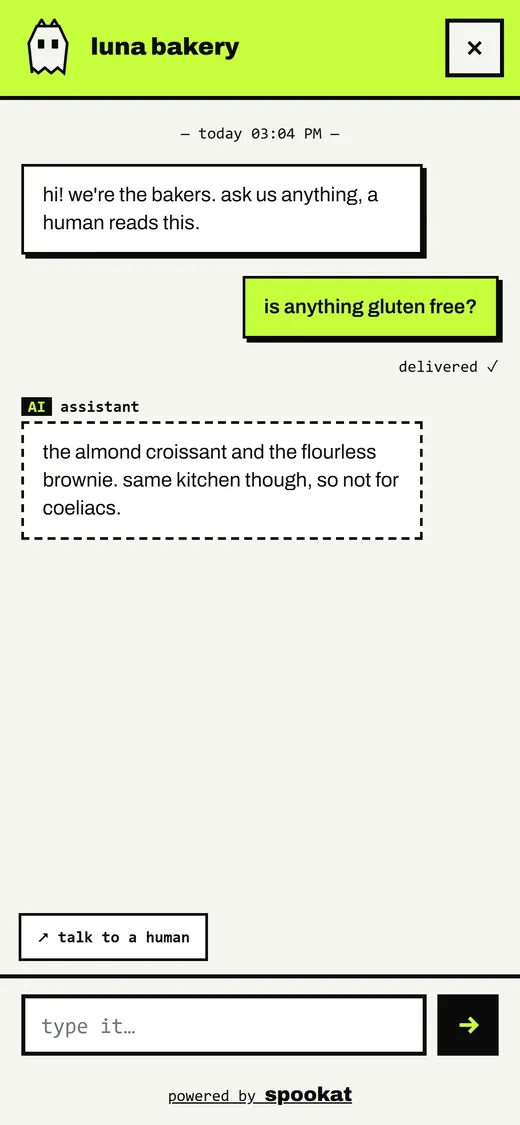
One script tag. The launcher is under 4 kb, with 0 requests to our API before someone clicks it. No cookies, ever.

- every plan0 api requests before the clickThe chat loads when a visitor opens it, not before. Your Lighthouse score doesn't notice us.
- every planno cookies, no bannerThe widget sets no cookies and we never store an IP address. Nothing for your cookie banner to ask about.
- every plansuggested questionsUp to 4 under the greeting. Give one a saved answer and it replies at once, labelled automatic.
- cool guy+talk to a humanWhen your agent answers first, the visitor can still ask for a person. One tap, your team gets pinged.
- cool guy+they left? they get an emailNobody answered in 5 minutes, the chat asks for an email. Your reply follows them there, one click brings them back.
- every plan12 languagesThe widget speaks the visitor's browser language. Nobody picks anything.
- every planfull screen on phonesOn a phone the chat takes the whole screen, big enough to type in. Close it and they're back on your page.
- cool guy+knows who's logged inSign your user id on your server and the inbox shows which customer is writing. Unsigned ids are ignored.
02 · the look
looks like your site.
not like ours.
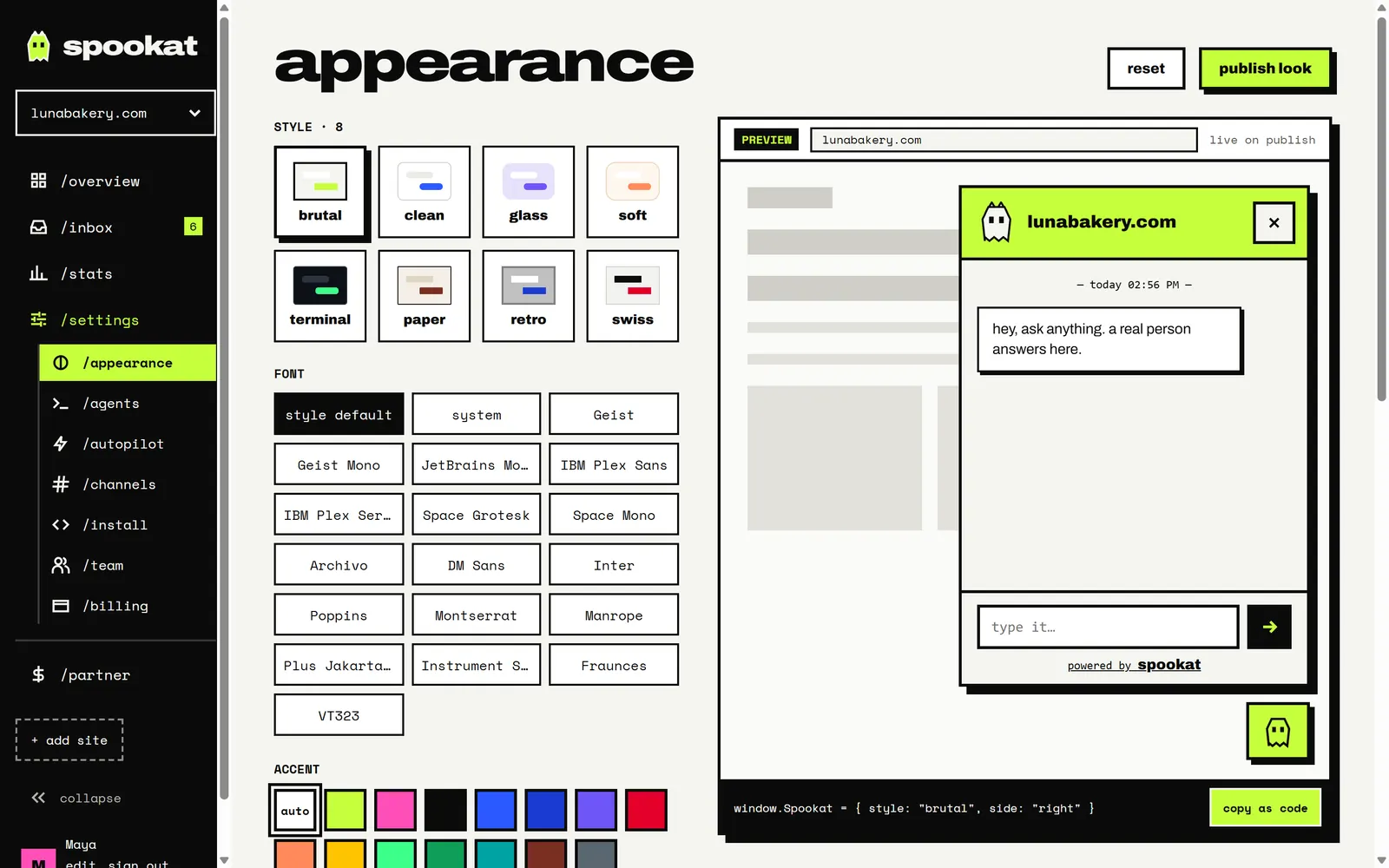
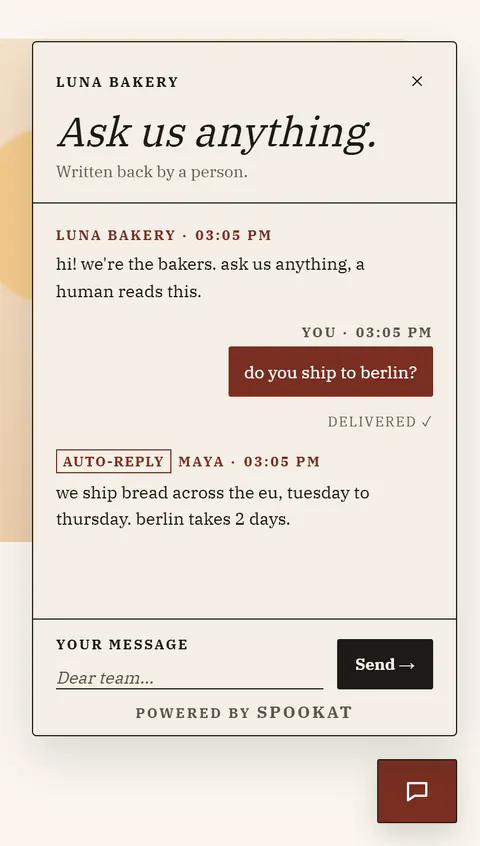
8 styles, 17 fonts, any accent. Pick them in the dashboard with a live preview, or set them in the snippet and let your agent fiddle.
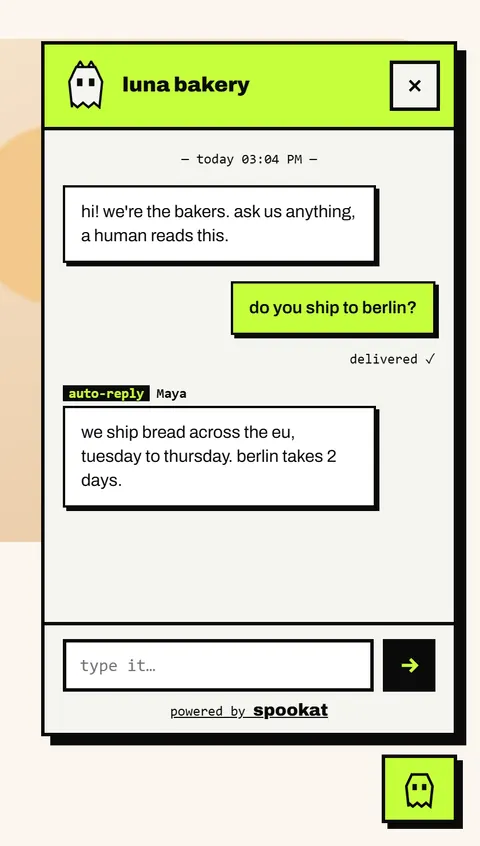 brutal
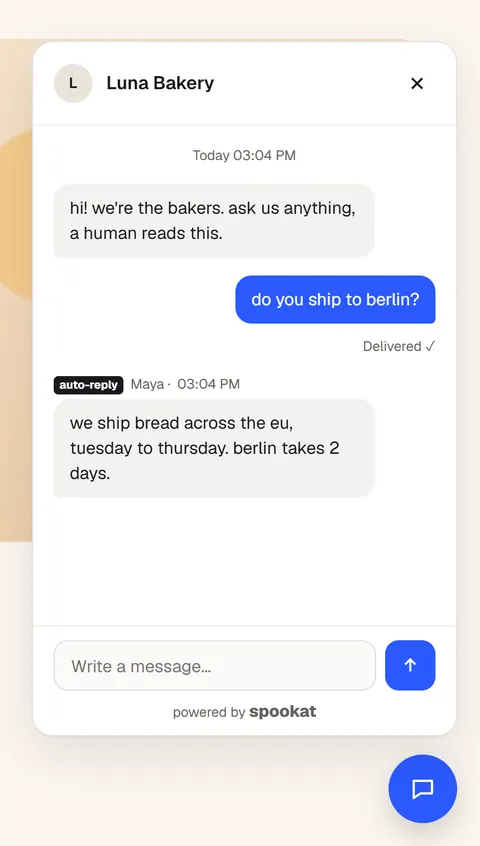 clean
clean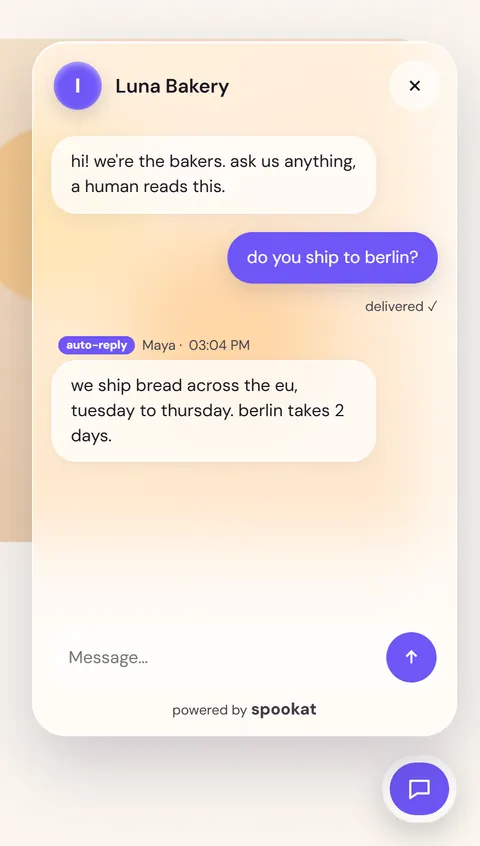 glass
glass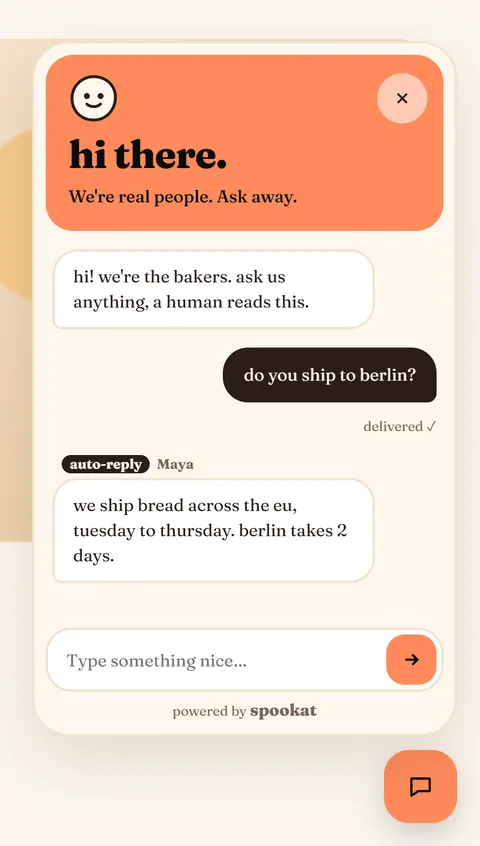 soft
soft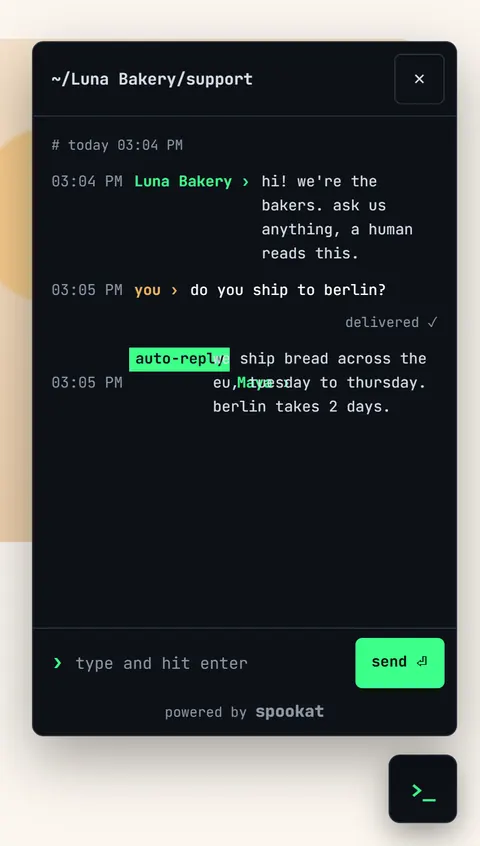 terminal
 paper
paper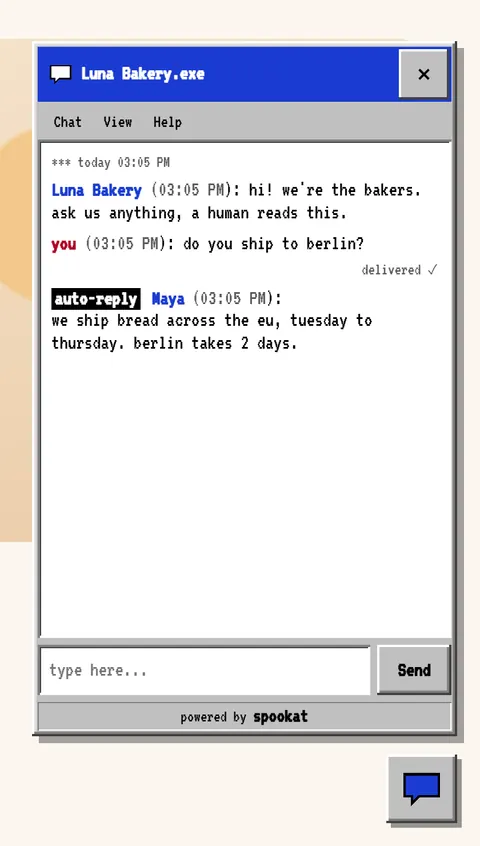 retro
retro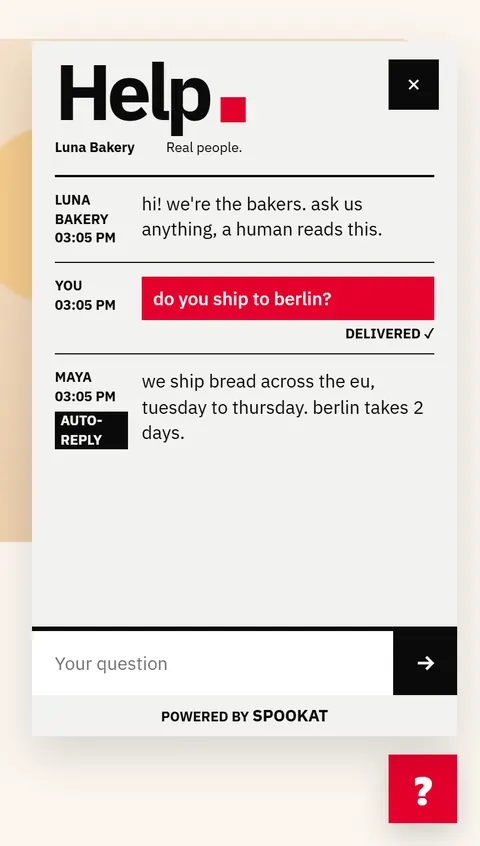 swiss
swiss
- every plan8 stylesbrutal, clean, glass, soft, terminal, paper, retro, swiss. Each one a whole look, not a color swap.
- every plan17 fonts, self-hostedFrom Geist to VT323, served by us. Not one request to a font service. Or the visitor's own system font.
- every planyour accent, your sideAny color, the launcher bottom left or right, your greeting, your logo.
- every planpreview, then publishChange things and watch the preview. Visitors see it when you hit publish, not while you're still deciding.
- cool guy+hide “powered by”One line under the chat. Gone from cool guy up.
- vc money+custom cssEvery pixel of the widget yours.
03 · where you answer
answer from slack,
discord or our app.
Every new chat opens a thread where your team already hangs out. Reply in it, the visitor reads it on your site. Or skip both and use our inbox.
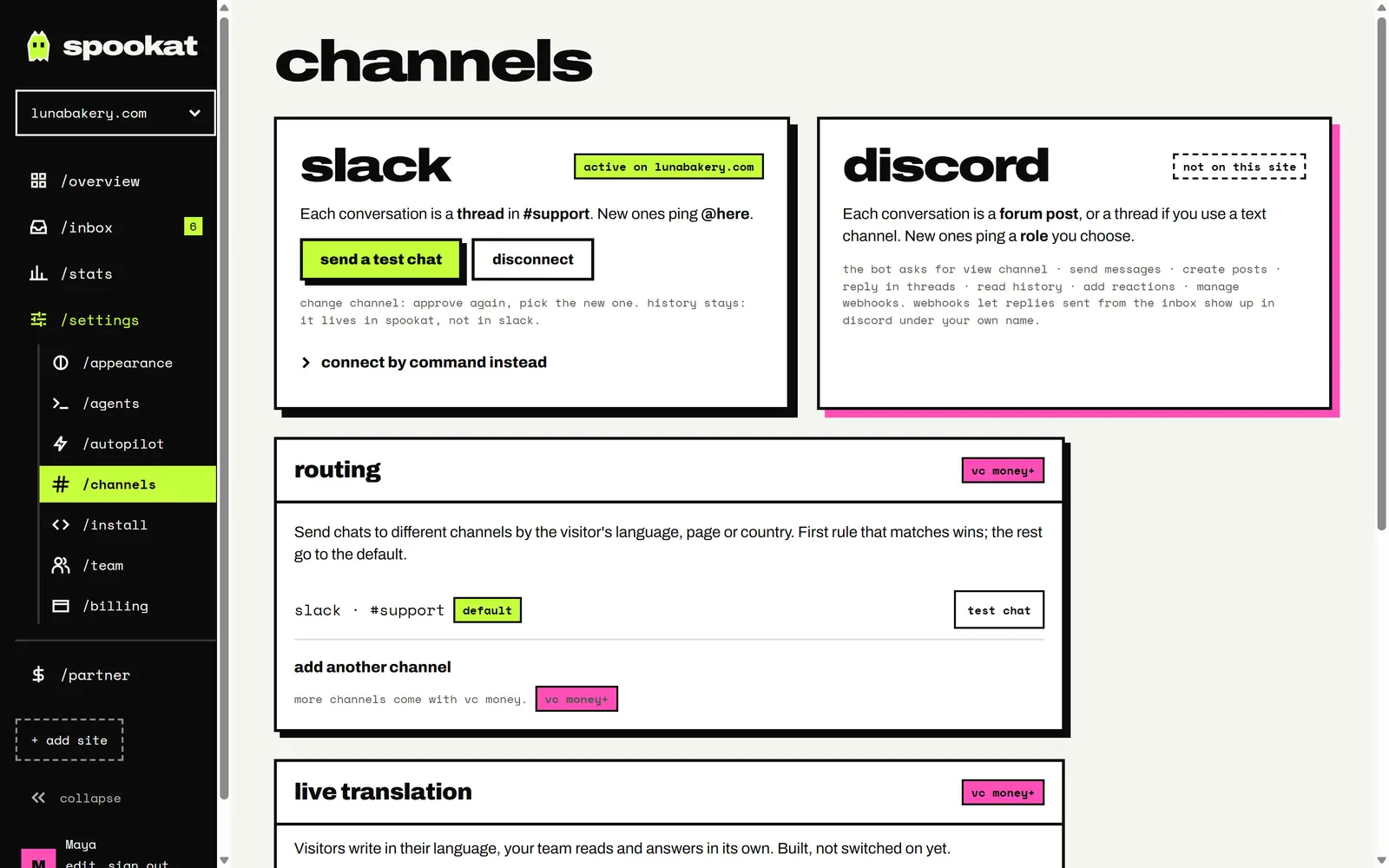
- broke af+a thread per chatSlack: a thread in the channel you pick, new ones ping @here. Discord: a forum post or a thread, pinging the role you choose.
- every plannotes with //Start a message with // and it stays with the team. The visitor never sees it.
- broke af+claim ✋, close ✅React to take a chat or close it. The same moves in Slack and Discord.
- broke af+your name, not a bot's/spookat me sets the name visitors see, or hides it. Replies from the inbox show up in Discord under your own name.
- vc money+routingSeveral channels, the first rule that matches wins: by the visitor's language, page or country.
- vc money+live translationVisitors write in their language, your team reads its own. Built, switched on soon.
04 · the inbox
an inbox.
in your pocket too.
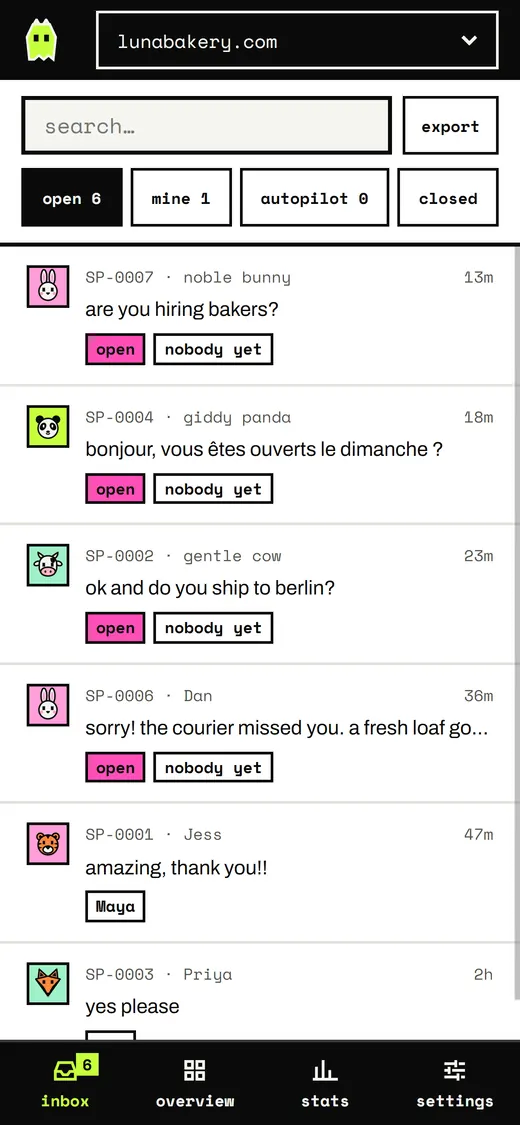
No Slack, no Discord, no problem. The dashboard has a full inbox, and it installs on your phone as an app that buzzes on every new chat.

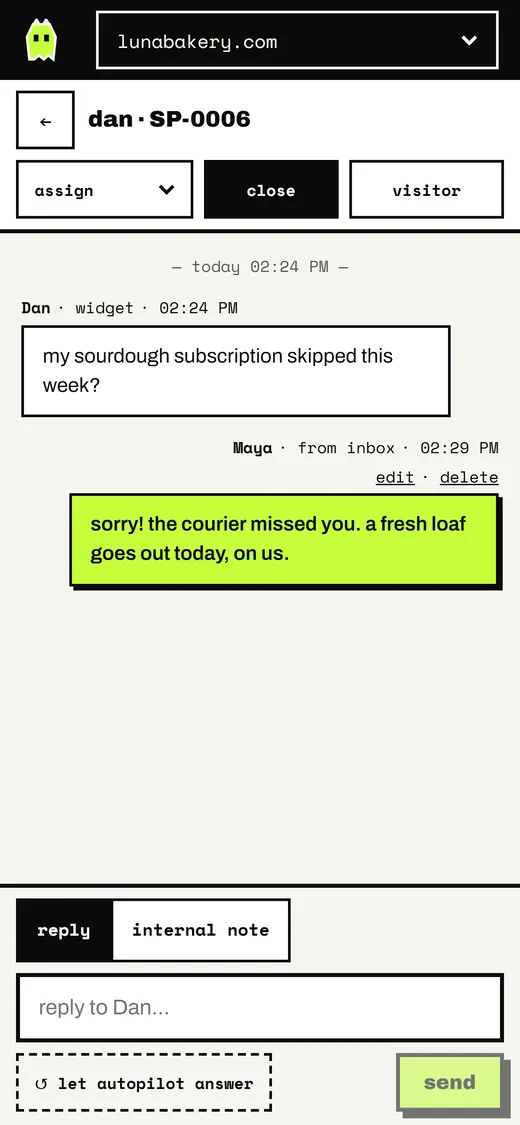
- every planopen, mine, autopilot, closedTabs that sort themselves. Assign a chat to a teammate and it lands in their mine.
- every planwho's writingThe page they're on, their browser and country, their email if they left one. What the chat knows, nothing it watched.
- every planinternal notesSwitch to note and write something only the team reads.
- every planedit and deleteFix a typo after sending. Delete a message and it's gone for the visitor, Slack and Discord too.
- every planpush on your phoneAdd the dashboard to your home screen. New chat, your phone buzzes. iPhone, Android or desktop.
- every plansearch, export, blockFind any chat, export them all, block a spammer without deleting a thing.
- every plan3 to 365 days of historyfreeloader keeps 3 days, broke af 30, cool guy 90, vc money 365. Then it's deleted, for real.
05 · autopilot
your ai answers first.
or never.
Humans are the default. Plug in your own agent and pick when it may talk. Your model, your bill: we never charge per answer.
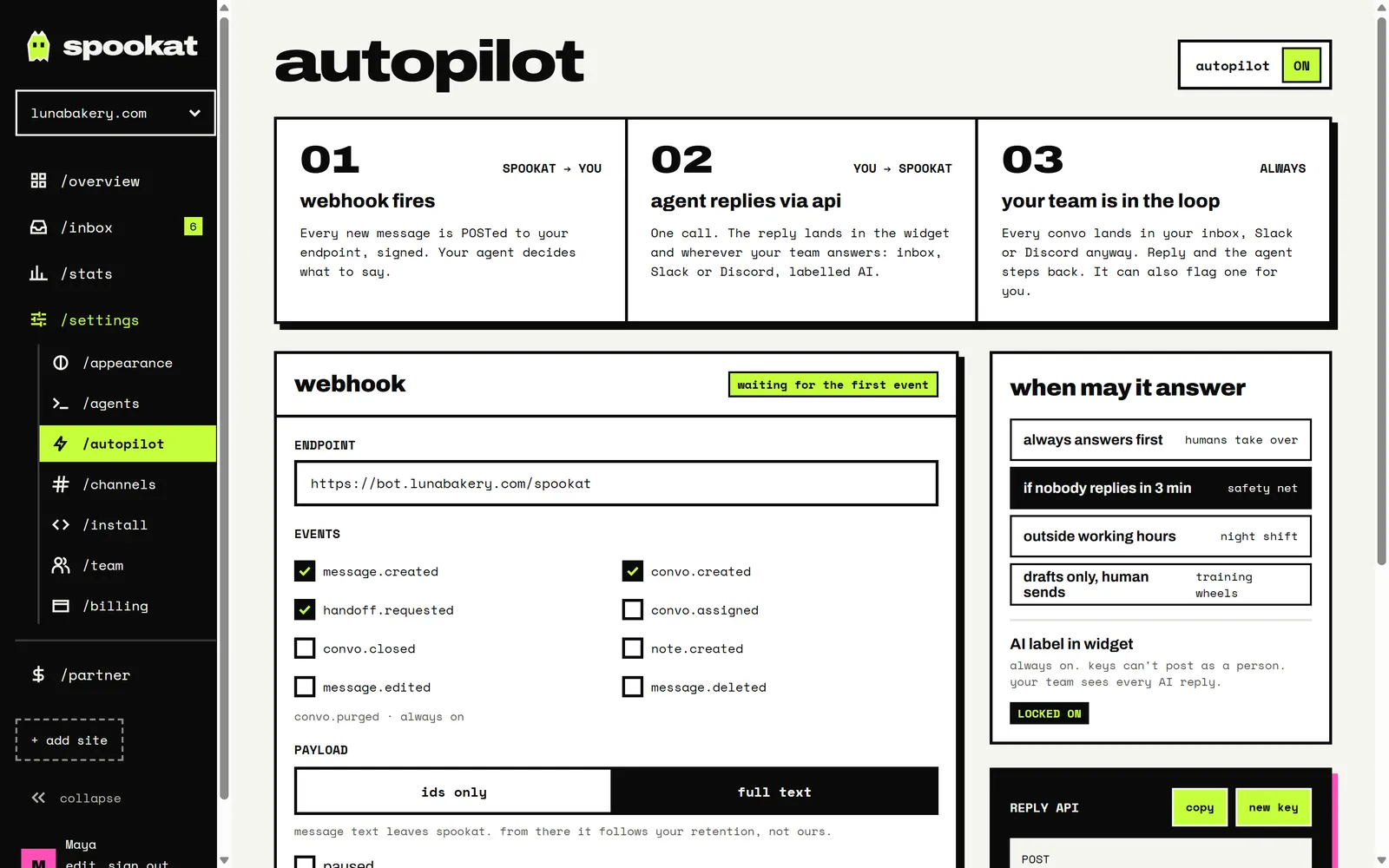
- cool guy+webhook in, api outEvery message is POSTed to your endpoint, signed. Your agent replies with one API call.
- cool guy+4 modesAlways first, only if nobody replies in 3 minutes, outside working hours, or drafts a human sends.
- cool guy+labelled ai, alwaysEvery agent reply says AI in the widget. Keys can't post as a person. Locked on.
- cool guy+a human takes overAny teammate's reply hands the chat back to people. The visitor can ask for one too.
06 · agents
set up by your agent.
watched by you.
Your coding agent sets spookat up over remote MCP. In the dashboard a browser agent drives it through WebMCP. Every change they make is logged.
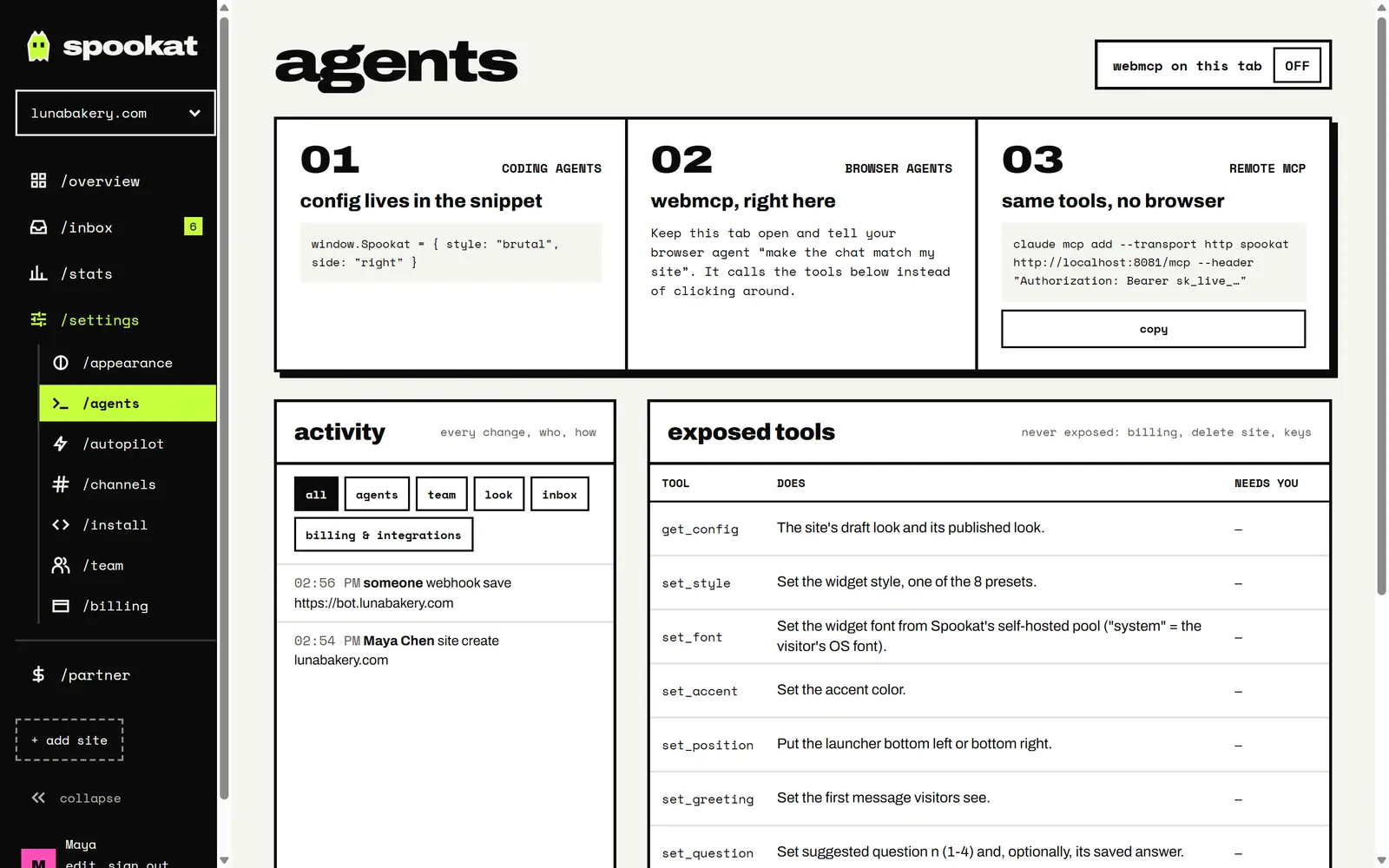
- every planremote mcpOne command adds spookat to Claude Code, Cursor and friends. It picks a style, writes the greeting, installs the snippet.
- every planwebmcp in the dashboardTell your browser agent “make the chat match my site”. It calls tools instead of clicking around.
- every plannever your moneyBilling, deleting a site and keys are never exposed to agents. A human always pays.
- every planactivity log with undoEvery change, who made it, from where. Undo it while it still stands.
07 · team
the whole team.
no seat tax.
Unlimited teammates on every plan. You pay per site, not per person who might answer twice a year.
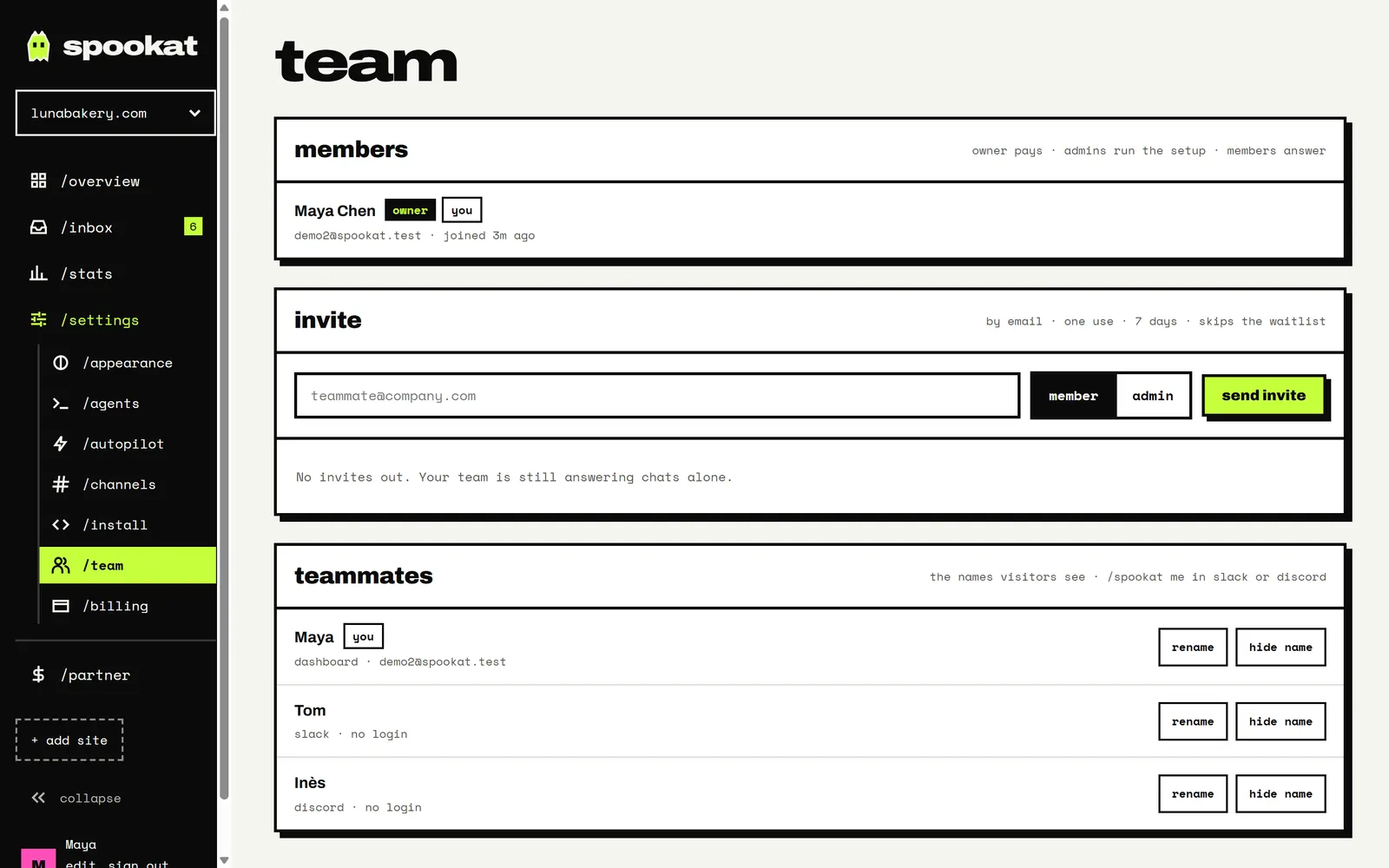
- every planowner, admin, memberThe owner pays. Admins run the setup. Members answer chats.
- every planinvites skip the waitlistBy email, one use, good for 7 days.
- every plannames visitors seeEach teammate picks a name, or hides it. Slack, Discord and the dashboard, one list.
08 · stats
stats from chats.
not from spying.
Chats, first reply times, who answers, who comes back. Counted from the chats alone: visitors who never write aren't in here, we don't watch them.
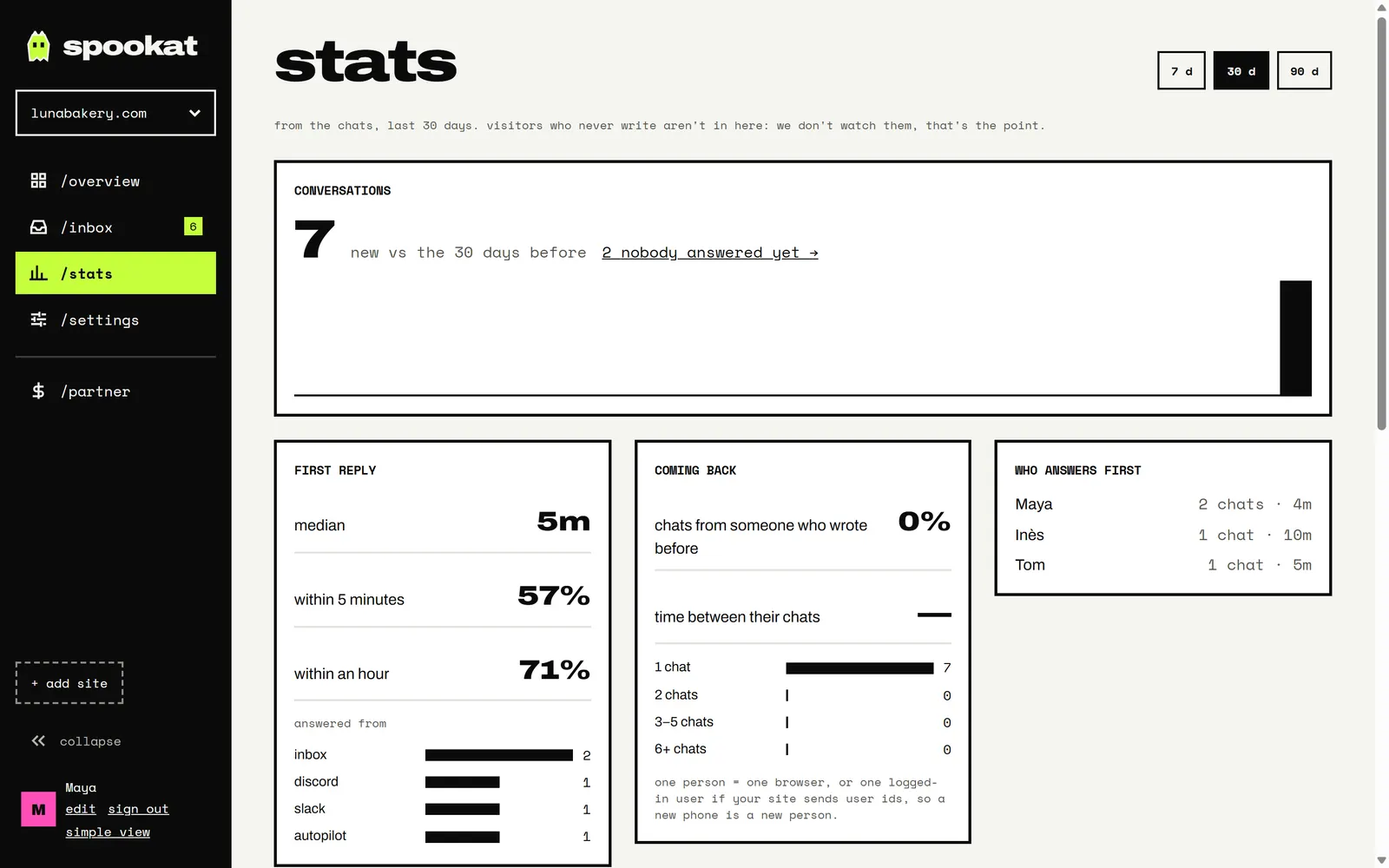
- cool guy+first replyThe median, within 5 minutes, within an hour, and where you answered from.
- cool guy+who answers firstPer teammate, with their own median.
- cool guy+coming backHow many chats come from someone who wrote before.
01 · the chat
one line to install.
zero to learn.
Paste one line, or send it to whoever runs your site. Visitors tap the bubble and type. That's the whole manual.

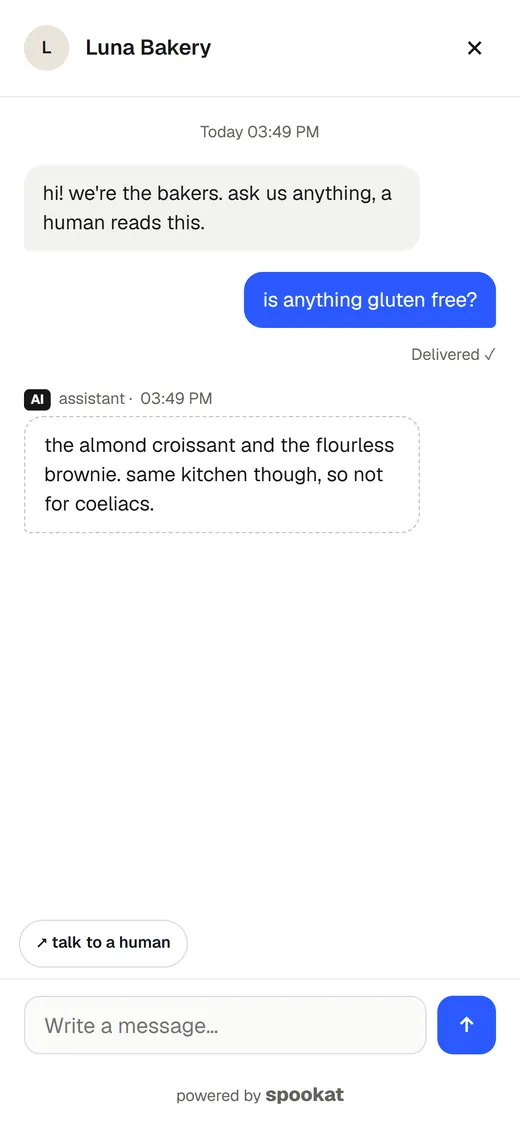
- every planone line, doneBefore </body>, or ask whoever runs your site. No settings to fill in first.
- every planno sign-up for visitorsNo account, no form. They write, you answer.
- every planlooks like it belongsPick one of 8 styles and a color. It matches your site without a designer.
- every plannothing to install on phonesOpens full screen, big enough to type in. No app for your visitors.
- every planspeaks their language12 languages, picked from their browser. You translate nothing.
- every plandoesn't slow your siteUnder 4 kb, with 0 requests to our API until someone taps it. No cookies, so no banner.
02 · messages
your messages.
nothing else.
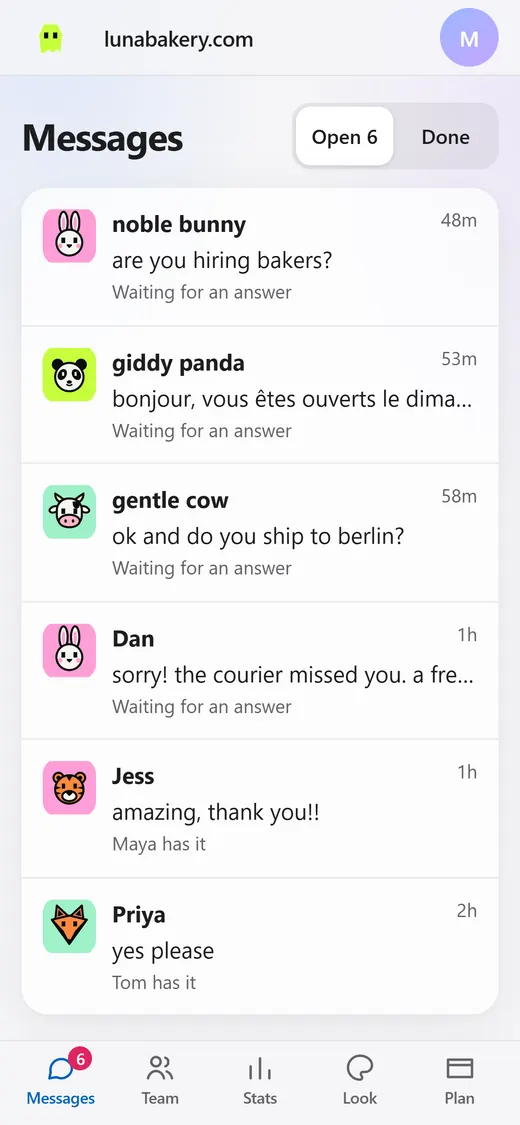
One list, one conversation, one reply box. On the laptop or the phone, the same thing.

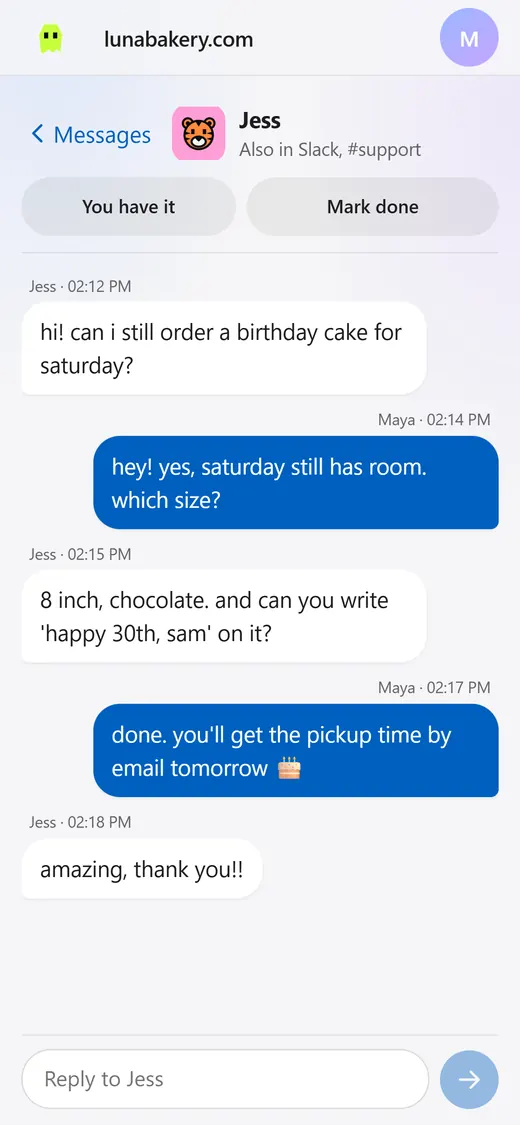
- every planopen and doneTwo tabs: waiting for an answer, or sorted.
- every plan“you have it”One tap and the team sees who's answering. “Mark done” when it's sorted.
- every planbuzzes on your phoneAdd it to your home screen, get a push on every new message.
03 · team
add people.
answer where they are.
Invite by email and pick if they only answer or also change settings. Answer right here, in the phone app, or connect Slack or Discord with one button.

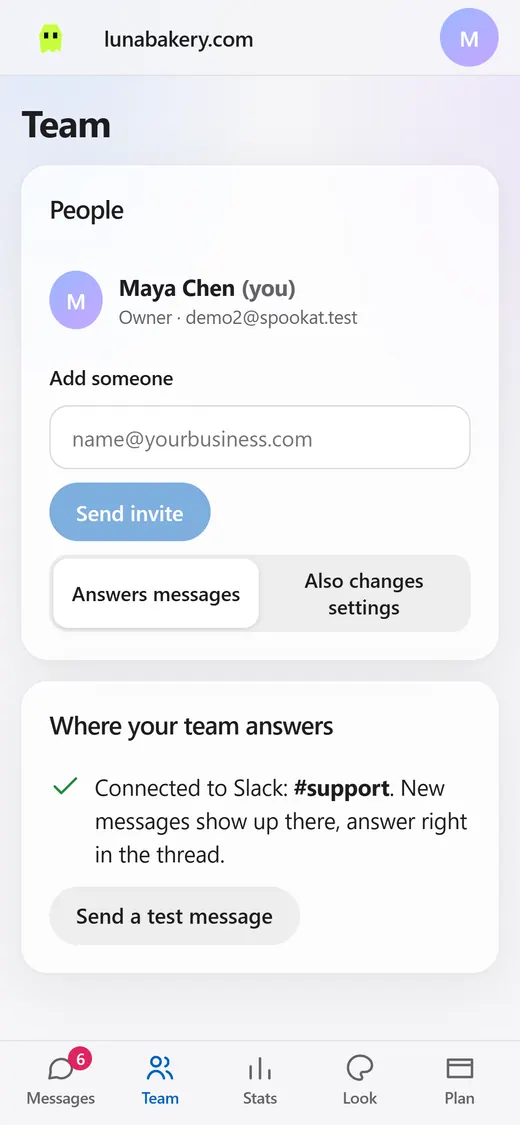
- every plananswers, or also settingsTwo roles, in plain words.
- broke af+slack or discord, one buttonNew messages show up there. Answer right in the thread.
- broke af+send a test messageSee it land before a customer's does.
04 · look
pick a look.
see it live.
8 styles, a color, your words. The preview is the real chat, so what you see is what they get.

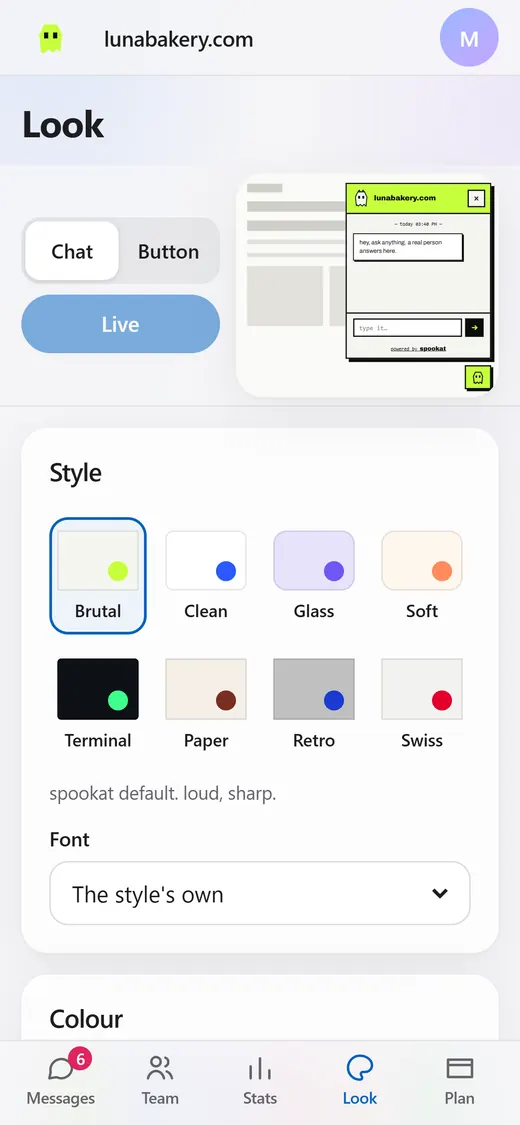
- every plan8 stylesTap one, the preview changes.
- every planany colorSeven to pick from, or any hex.
- every planyour first messageThe greeting and the suggested questions.
05 · stats
how it's going.
one screen.
How many chats, how fast you answer, who comes back. Counted from the chats only: people who don't write aren't counted, we don't watch them.

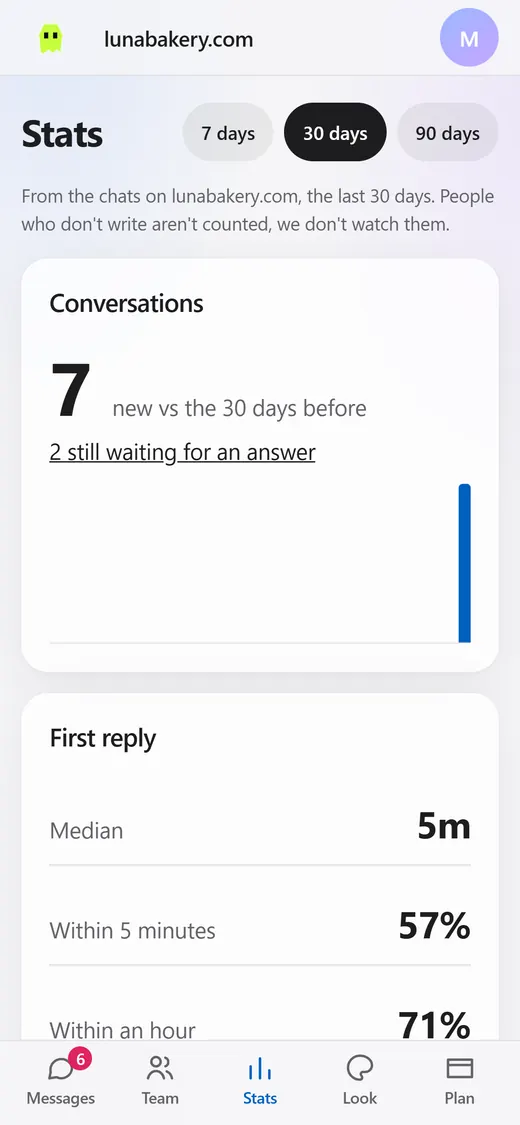
- cool guy+conversationsAgainst the 30 days before, and how many still wait for an answer.
- cool guy+first replyThe median, within 5 minutes, within an hour.
- cool guy+coming backHow many chats come from someone who wrote before.
installs anywhere
a script tag goes.
Paste one line before </body>. Or grab the plugin or app for your builder. Or tell your agent to do it.
- every planone line of htmlYour hero image weighs more.
- every planwordpress, shopify, wixA plugin and two apps, set up in their own admin.
- every plantell your ai“add spookat chat to my site”. Claude Code, Cursor and anything that reads /llms.txt knows the rest.
autopilot, agents, webhooks and routing live in the full dashboard. one click away, same login.